 Playtirangagamelogin.org

Tiranga Game at a glance
| Login is for | An account that already exists |
|---|---|
| Register is for | A first account |
| Only Register asks for | A code sent to your phone |
| Both ask for | A password |
| Screens compared on | 8 October 2026 |
A quick test: which door?
The test is a single question: has a Tiranga password ever been set by you? If yes, the tiranga game login is your door. If no, or you are not sure, you want Register. Both buttons on this site work the same way, opening Tiranga's own screen through a referral link.
The sign-in door
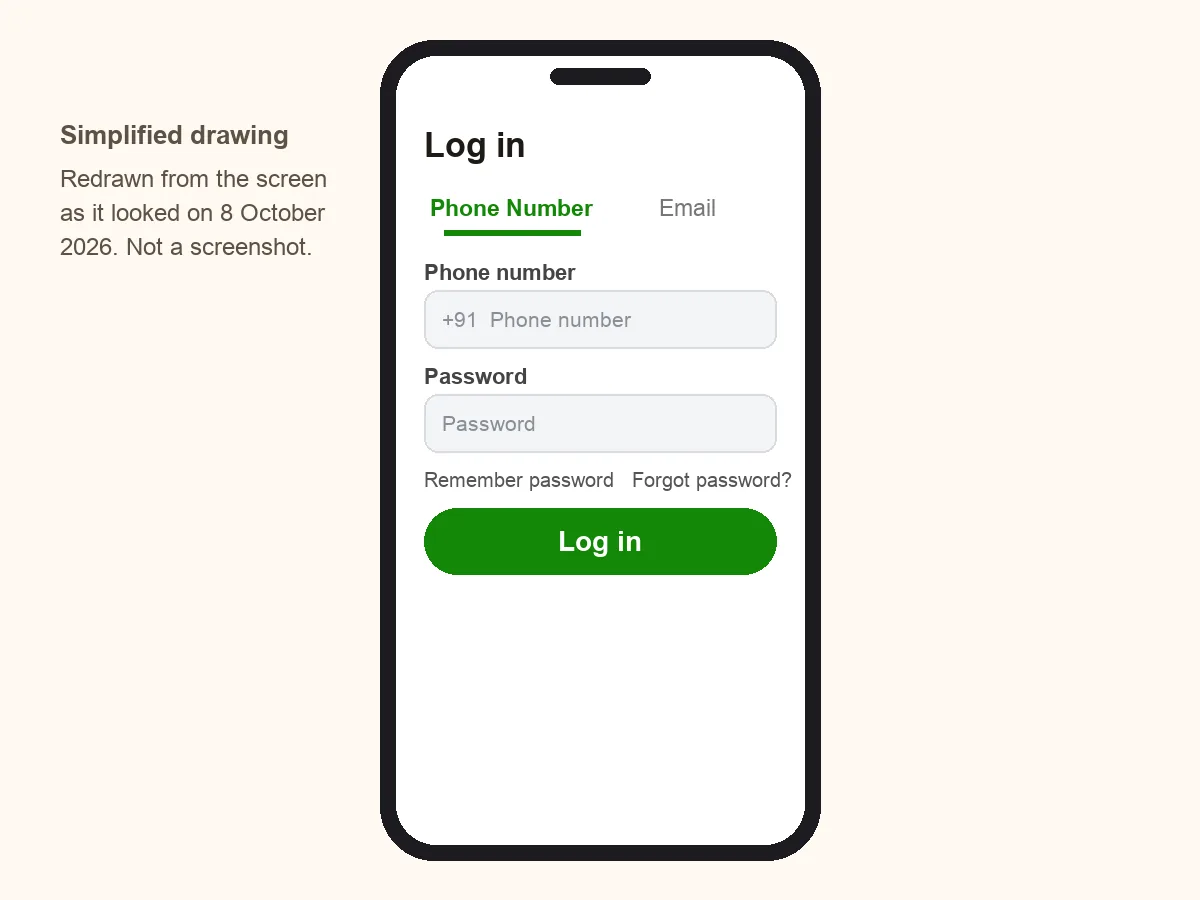
- This door opens with the Login button.
- Inside, the choice is Phone Number or Email.
- The detail goes in first, the password after it.
- Two extras sit on the same screen: Remember password, for a phone you trust, and a reset link for a password you have lost.
The sign-up door
Registering takes more: your phone number beside +91 India, a code that only comes once you press Send by Verification Code, the same new password typed twice, and, if you have one, an invite code the form calls optional. If a screen is asking you for a code, you are on the sign-up side.
Mix-up one: Login with no account
Every password you try will be refused, because there is nothing to sign in to. A reset will not help either, since there is no account to reset. The fix is simple: go back and tap Register.
Mix-up two: Register with a number you used before
If you think you joined once already with the same number, try Login first, and the reset link if needed. Starting a second account is not the answer to a forgotten password. We did not test what the form does with a number already in use, so we will not guess.
Mix-up three: two people, one phone
Sometimes the account on a phone belongs to someone else in the house. If Login opens with details already filled in that are not yours, do not use them. Clear the boxes and sign in with your own, or register your own account if you have none.
Pick a limit at either door
Whether you signed in or signed up today, decide how long the visit lasts before it begins. When the time is up, the visit is over. That rule works the same on day one and day one hundred. Write the end time on the same note as your limit, so both are in front of you whichever door you used.
Tiranga Game Login and Register Are Two Different Doors: common questions
How do I know if I need tiranga game login or register?
If you have ever set a Tiranga password, use Login. If not, use Register.
The screen asks for a code. Am I signing in?
Probably not. The code box we saw sat on the register form; the sign-in had none.
Can I reset a password for an account I never made?
There is nothing to reset. Make the account first with Register.
Will registering again fix a forgotten password?
Try Login and the reset link first. A second sign-up is not a fix for a lost password.
लॉगिन या रजिस्टर?
अगर आपने पहले कभी पासवर्ड बनाया है तो Login चुनें, नहीं तो Register चुनें। जिस स्क्रीन पर कोड माँगा जाए, वह रजिस्टर फ़ॉर्म है।
Platform details as seen on 8 October 2026. Updated 28 November 2026.